
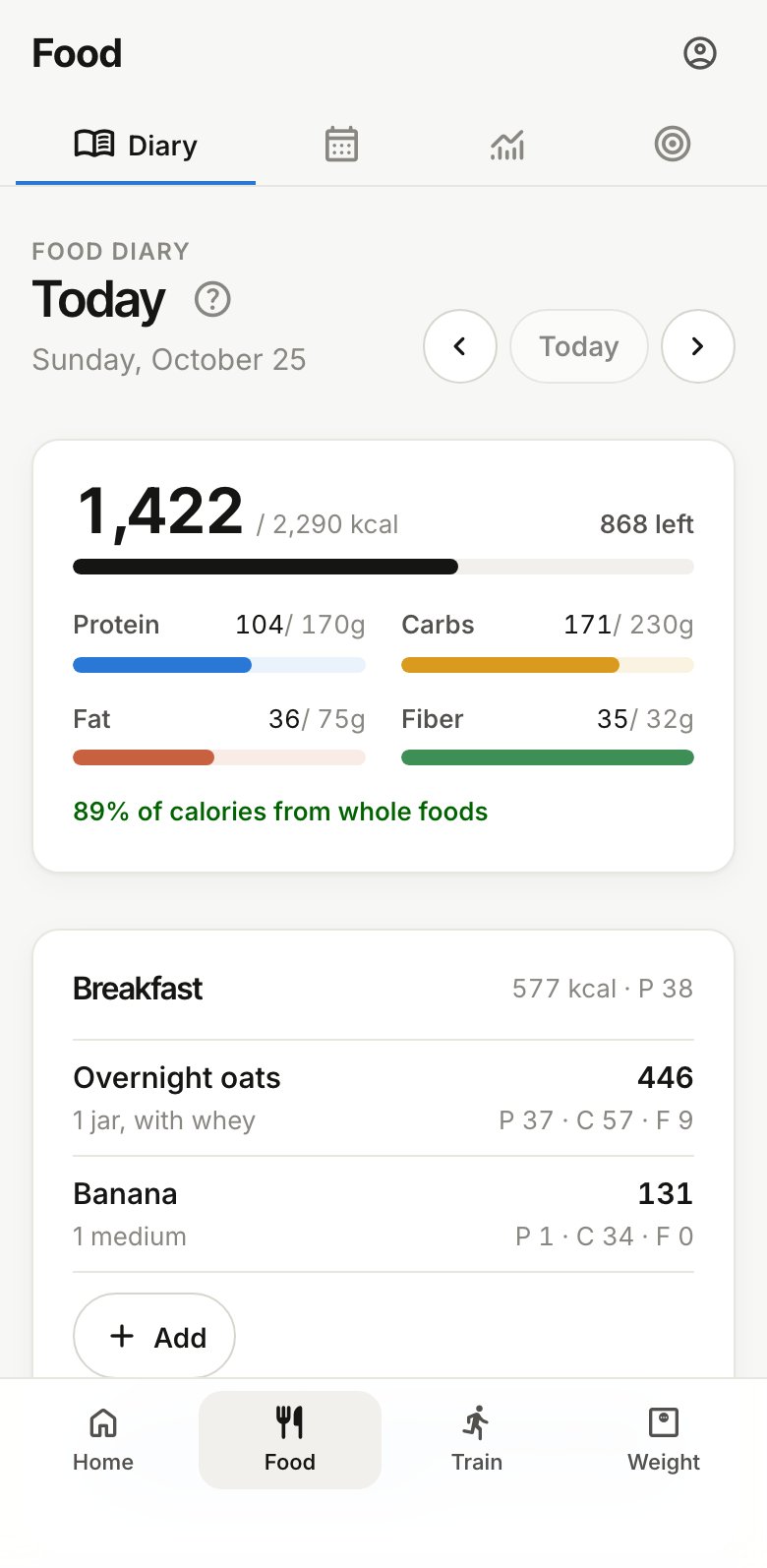
Food › Diary shows one day at a time, by meal, with your totals against your targets at the top. Use the arrows to go to another day, and Today to come back.
Five ways to add food
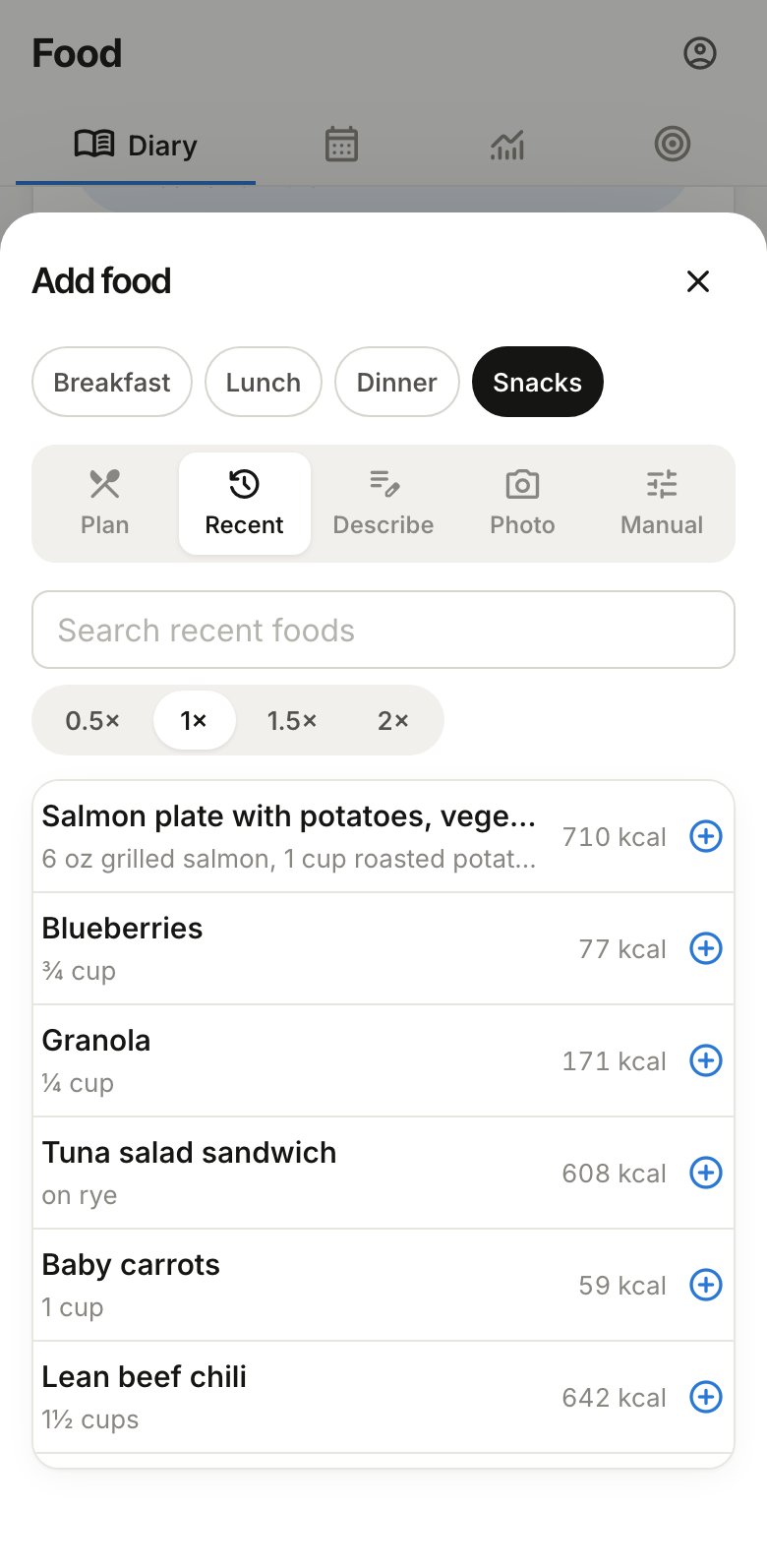
Tap Add under a meal. You can switch meals at the top of the sheet.
- Plan lists the day’s meals from your meal plan, if you have one. Tap a meal to log all of it.
- Recent lists foods you’ve logged before. Search, pick a serving size (½×, 1×, 1½×, 2×) and tap to log it. Tap several in a row, then Done.
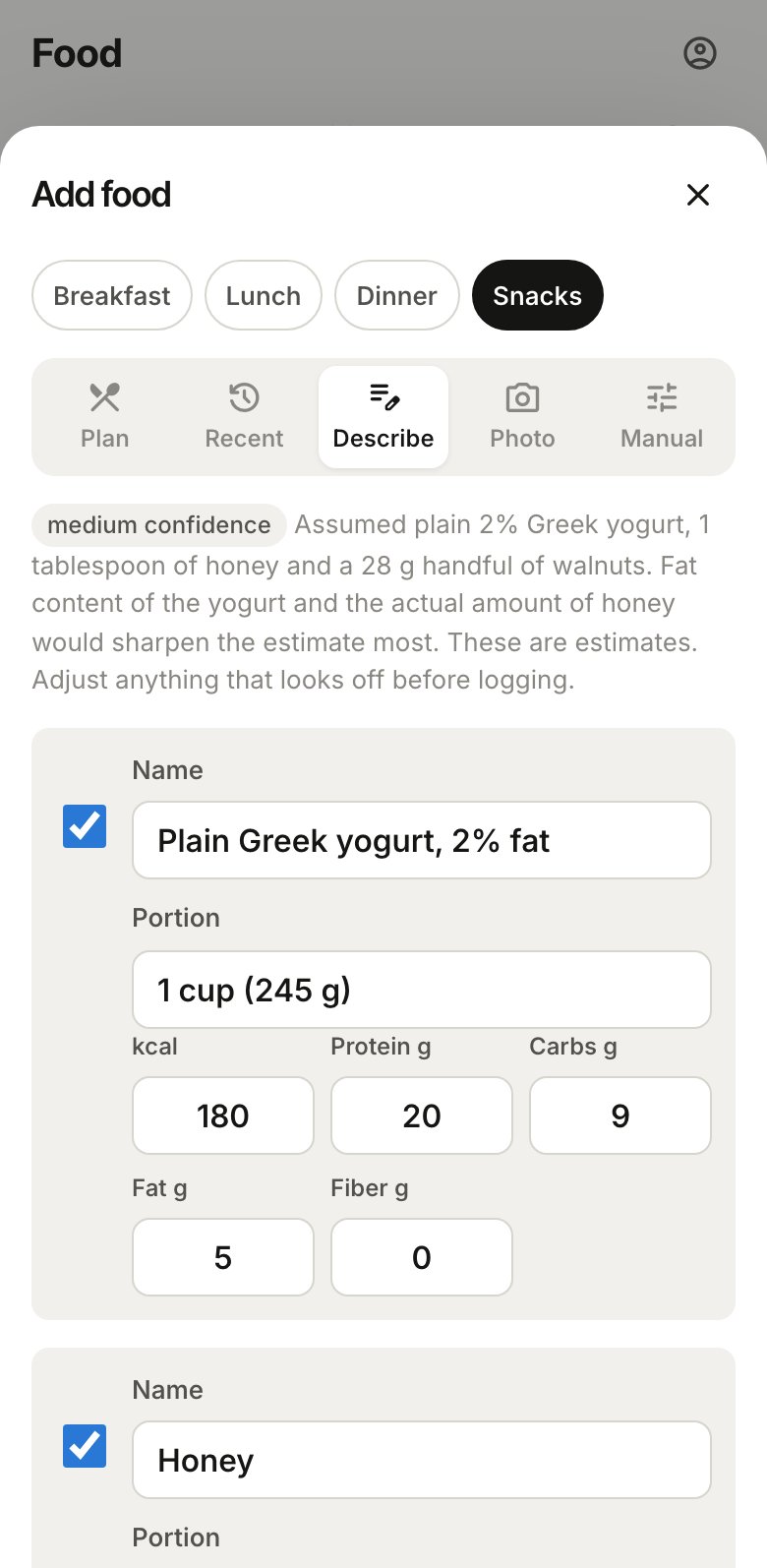
- Describe estimates a meal from a sentence, like “2 scrambled eggs and a slice of toast with butter”. Amounts make the estimate better: “1 cup”, “6 oz”, “a palm-sized piece”. It costs 1 credit.
- Photo estimates a meal from a picture. Add a note if it helps, like “I ate about half”. The photo is analysed and then thrown away, never stored. It costs 3 credits.
- Manual is for typing the numbers yourself, say from a label. It’s always free.
Checking an estimate
Describe and Photo show what they found before anything is logged: each food with its portion and numbers, how confident the estimate is, and what it assumed (like the cooking oil). Change any number, uncheck anything you didn’t eat, then log it.
When there are several foods, Log as one meal saves them as a single entry with a name you choose, so next time it’s one tap in Recent.
Shortcuts
- Planned: … under a meal logs the next planned meal for it in one tap.
- Copy yesterday’s … shows up under an empty meal when you logged that meal yesterday, and copies it over.
Fixing an entry
Tap an entry to change its name, portion, numbers or meal, or to delete it.
Whole foods
Foods from Describe, Photo and the meal plan are marked as whole, processed or ultra-processed. When there are any, the top of the diary shows how many of the day’s calories came from whole or minimally processed foods.