
Plans change: you’re eating out, an ingredient ran out, or you just don’t feel like it. Each planned meal has two ways to change it without replanning the week.
Swap: get other options
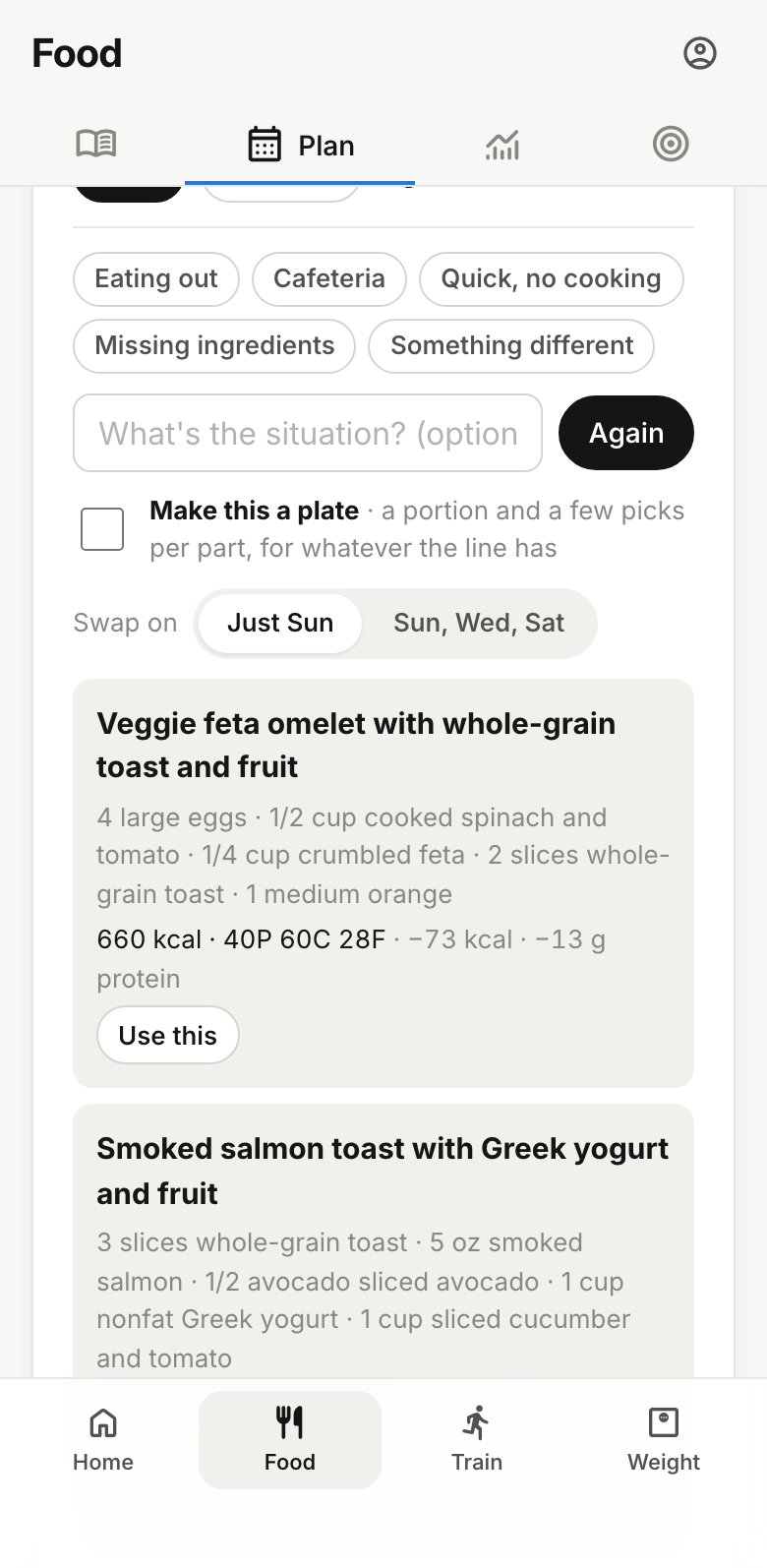
- Tap Swap on the meal.
- Say what’s going on, if you like: tap a chip (Eating out, Cafeteria, Quick, no cooking, Missing ingredients, Something different) or type your own, like “at a Thai restaurant”.
- Check Make this a plate if you’ll be choosing from a line rather than cooking. See Plates.
- Tap Show options. Each option shows how its calories and protein compare with the planned meal. Tap Again for more.
- Tap Use this on the one you want.
Each set of options costs 2 credits. Choosing one is free.
Edit: change the ingredients
Tap Edit to change a set meal yourself: rename it, change an amount, swap one food for another, or add or remove items. Tap Save, and BodyWyse works out the new calories, macros and shopping list for 1 credit. Renaming a meal without changing what’s in it is free.
If a line is missing an amount or a food, or can’t be worked out, it’s marked so you can fix it. Plates can’t be edited this way. Swap them instead.
One day, or every day with that menu
When menus repeat during the week, a meal shows up on more than one day. Before you use an option or save an edit, choose where it goes: Just this day, or also the days still to come this week that have the same meal. Days already past stay as they were.
Swapping a meal you’ve already logged doesn’t change the diary. Change or delete the diary entry yourself if you need to.