Open Train. Under Today, tap one of your workouts to start it. It stays under Today with Start or Continue, so you can come back to it during the day.
Fill the weights from your one-rep max
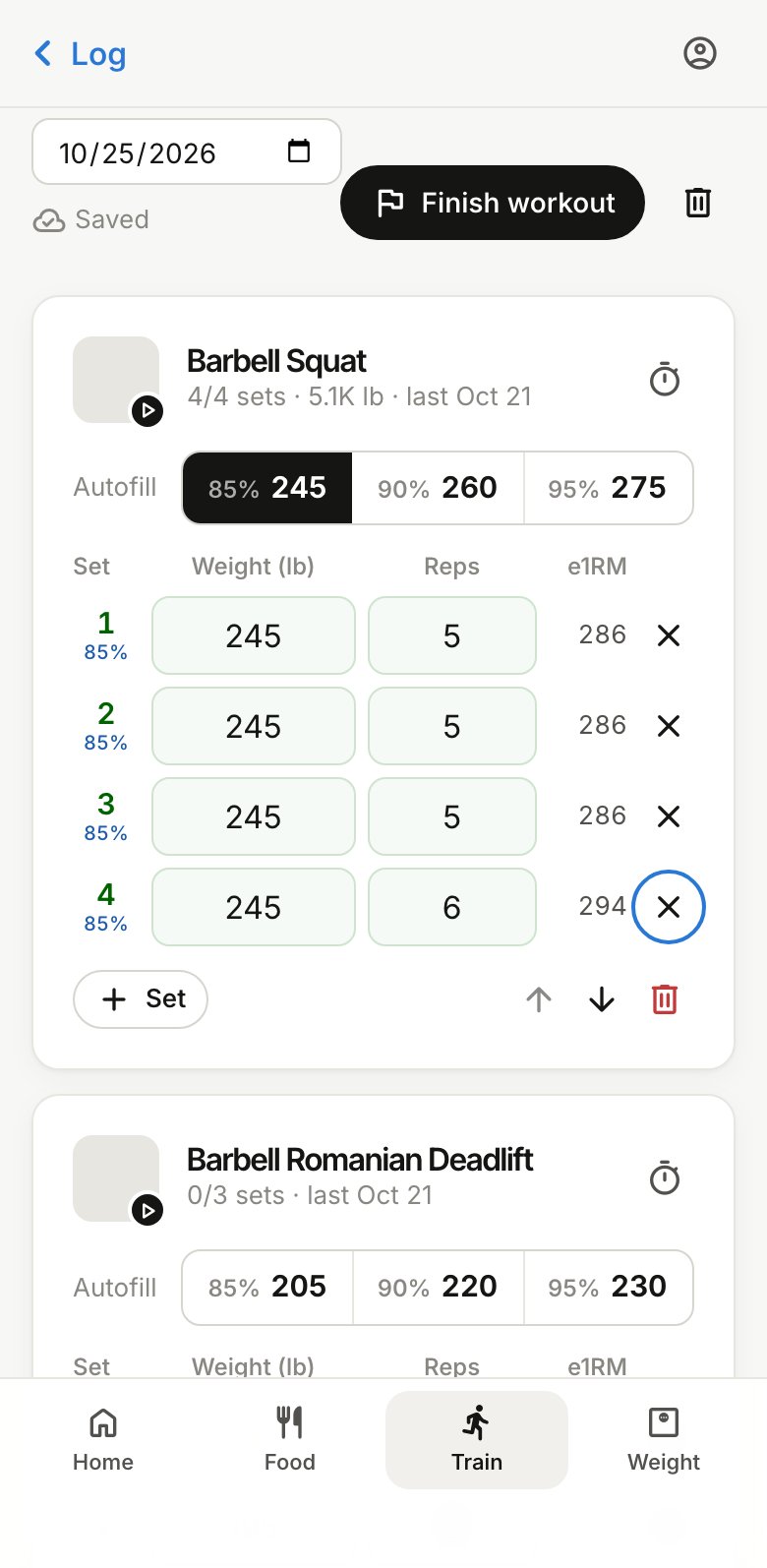
Each exercise has Autofill buttons for 85, 90 or 95% of your one-rep max (1RM). Tap one and every set gets that weight, rounded down to the nearest 5 lb.
Your 1RM comes from your best set of that exercise in the last four weeks (the Epley formula), or from a number you enter on the exercise’s page. With no 1RM yet, log a set of 1 to 12 reps and BodyWyse works one out.
A lift you’ve never done starts from one you have. A front squat, a goblet squat or a dumbbell bench press gets a starting guess from a lift in its family that has a 1RM, such as your back squat or bench press, and the session says which one. The guesses lean light on purpose, and dumbbell weights are for each hand. Once you log a set of the new lift, its own numbers take over. Machines aren’t included, because the weight on one machine doesn’t match another.
Log your sets
- Type the reps you did, and change the weight if it was different. A set counts as logged once it has both.
- Last time’s weights and reps show in grey. Same as last fills the empty sets with them.
- Each logged set shows the 1RM it works out to (e1RM), so you can see a strong day.
- Use + Set for an extra set, the timer button for a rest timer, and Add exercise to add one to this session only.
Everything saves as you go, and the top of the session says Saved.
Finish
Tap Finish workout at the bottom, with a note on how it felt if you like. The session goes into your log with its sets, volume and the muscles it worked, and counts toward your progress and 1RMs. Tap Reopen to change it later.
To log a session from another day, change the date at the top of the session.