
A workout is a list of exercises and how many sets of each, like “Upper A” or “Legs”. You build it once, then start it whenever you train. The weights and reps aren’t part of the workout: you fill them in each time you log it.
Build it
- Open Train › Workouts and tap New workout.
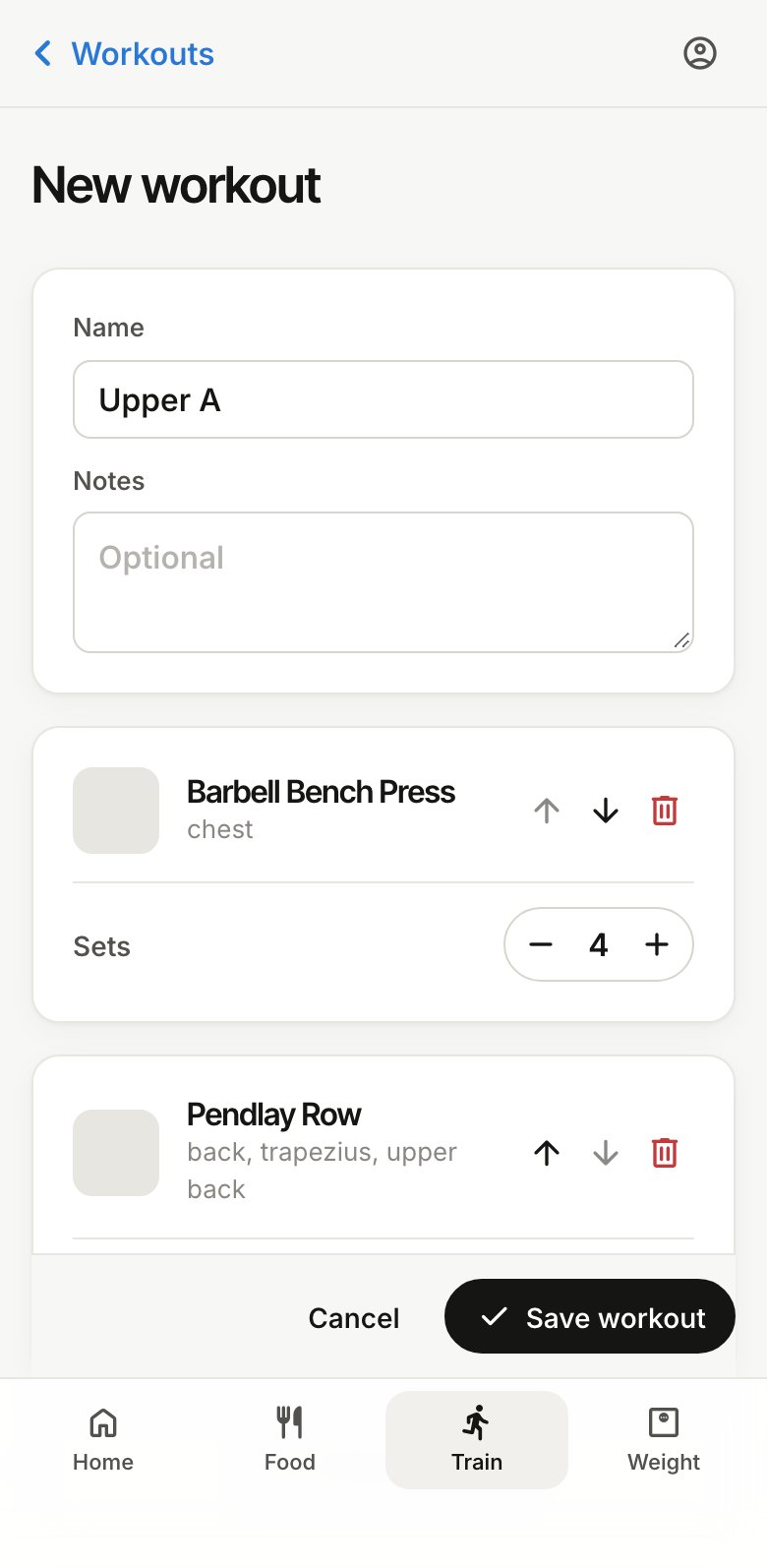
- Give it a name. Notes are optional, like “heavy day” or a cue to remember.
- Tap Add exercise and search by name or muscle, like “bench press” or “hamstrings”. There are over 500 exercises, each with an animation: tap the play button to watch one.
- Tap an exercise to add it. You can add several in a row, then tap Done.
- Set how many sets each exercise gets with + and −, and use the arrows to change the order.
- Tap Save workout.
Change it later
Open the workout from Workouts and tap Edit. Changes apply to sessions you start from then on; sessions you’ve already logged keep what you did.
Share it
Tap Share on the workout to send a link. Whoever opens it can add their own copy, which goes in their Shared with me folder. Edits you make later aren’t in their copy.